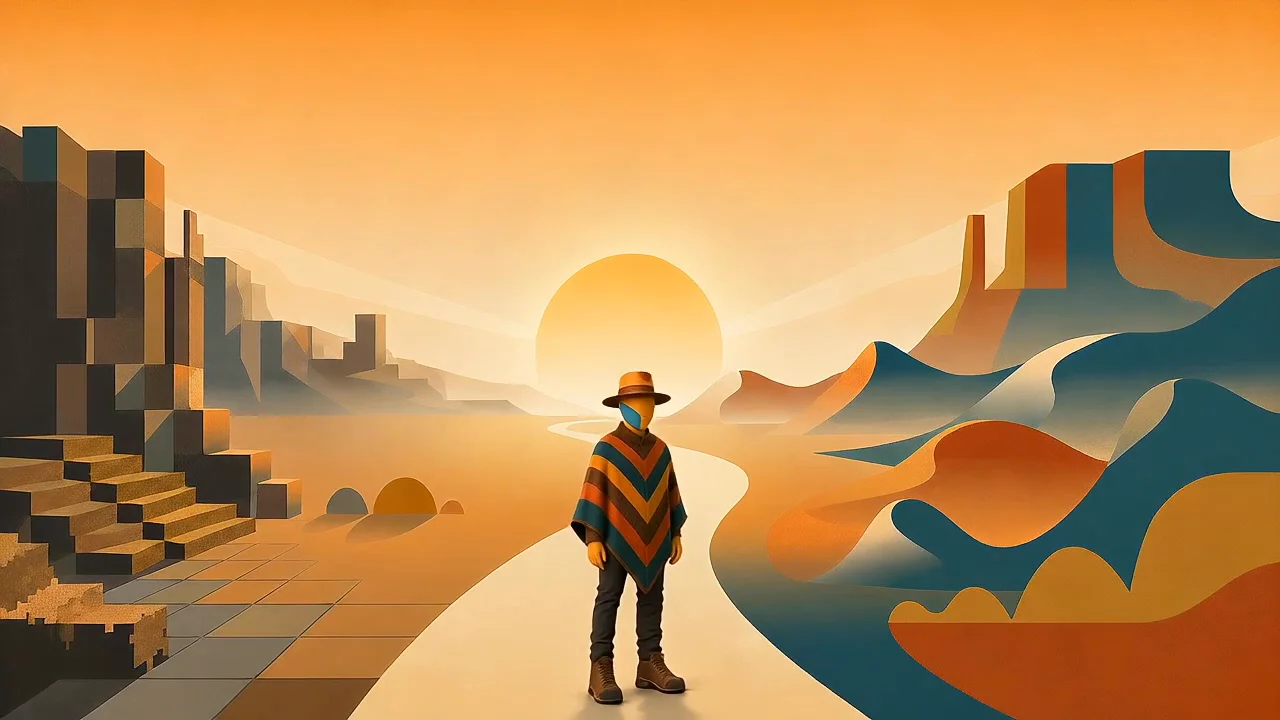
A Character is more than a prompt
What building Brobro taught me about consistent AI character design.
Continuing down the road of creating a brand using AI tools, let’s take a deeper dive into character creation. Previously I spoke about the variations of outputs using the same prompt to create a cat. It was a pretty simple exploration but a good subject matter since cats are so recognizable and the volume of training data makes evaluation less about the prompt and more about the performance of the models.
What happens when you want to create your own distinct character that remains recognizable across models, platforms and creators?
A good prompt is only the beginning
A reusable character needs more than a detailed prompt. It needs:
- Clearly defined identity invariants
- Controlled variables
- Approved visual references
- Model-specific adaptations
- Negative constraints
- Acceptance Criteria
- A handoff package another team member can use
The real test is not whether you can reproduce a character twice. It’s whether another person can use a different model and/or a different platform and still produce something recognizably belonging to the same world.
The perfect prompt is a myth and variations will inevitably occur across models. Creating long, complex prompts with numerous descriptive words tends to create less accurate output. Because of this we have to consider the following:
- Models interpret language differently
- Updates can change results
- Reference image support varies
- Prompts mix identity and scene instructions
- Successful outputs become difficult to reproduce.
Let’s use the character I’ve been working on for a while and see if we can produce some consistent assets. The goal is to build a robust character bible that introduces 3 distinct layers: core identity, project lock, and scene variables.
Meet Brobro
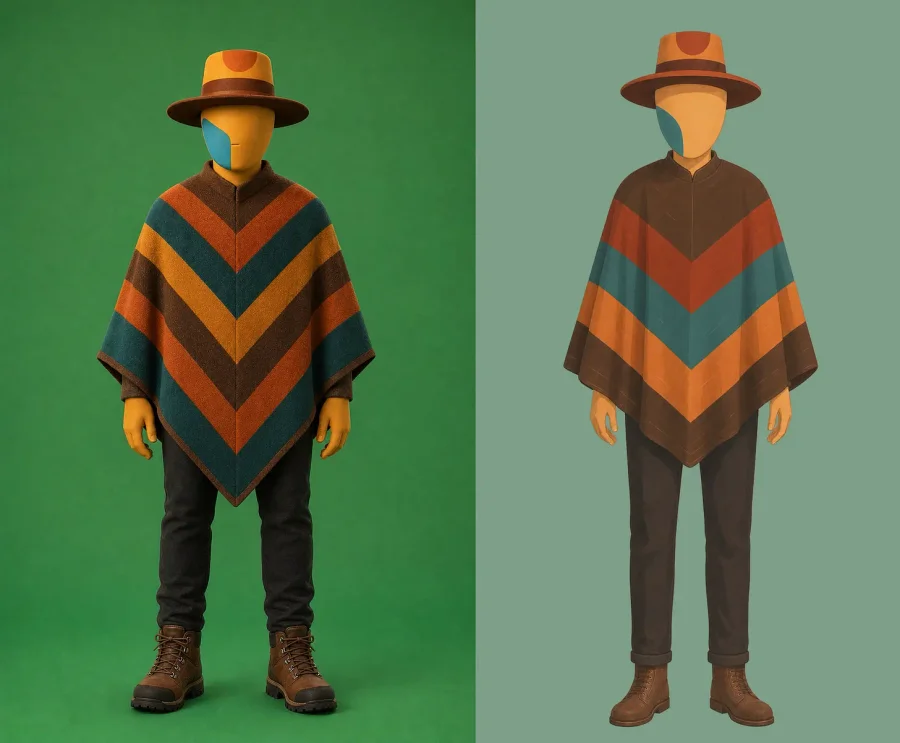
Cinematic and illustrative front final reference images.
There’s already been some significant work put into the character creation. What was needed was 2 versions – cinematic and illustrative. The cinematic version is much more mature but they both follow distinct identity rules: orange skin, teal mark on right side of his face, striped poncho, hat with a crescent mark in the center.
Turning taste into rules
This is where things get interesting because the training data for Brobro does not exist so converting visual identity into consumable rules shows how a subjective character description can become something repeatable. A good visual systems should turn taste into observable constraints without eliminating creativity.
Some prompt description examples:
- “Featureless orange head” is stronger than “friendly futuristic character”
- “One teal mark permanently on Brobro’s right side” is verifiable
- Stable pattern order is more useful than “colorful clothing”
What Runway taught me
In starting out the creating brobro I used the RunwayUI and their workflow feature. I found it a good place to get familiar with the system, prompting, etc although since I have moved on to using their API instead which is a completely different experience and imo, much much better. (Short side rant: RunwayUI holy cow what a shitshow, looks really nice but unless you spend a lot of money on a monthly subscription you get inconsistent and suuuuuper slow generations. Use it for reference image generations, prompt exploration and model evaluations then get out. Go with the API, on all these generation tools, GO. WITH. THE. API. Side rant done.)
In developing the character, I experimented with a lot of different prompts, models, descriptions, etc. At times it was maddening. So many different outputs that seemed to have very little variations in input. It took a while to establish a good descriptive prompt that addressed the following:
- Traits that must always remain recognizable
- Silhouette, proportions, permanent markings, signature colors
- Decisions fixed for one production
- Wardrobe, face, hairstyle, palette, props
- Camera, pose, location, lighting, activity and mood
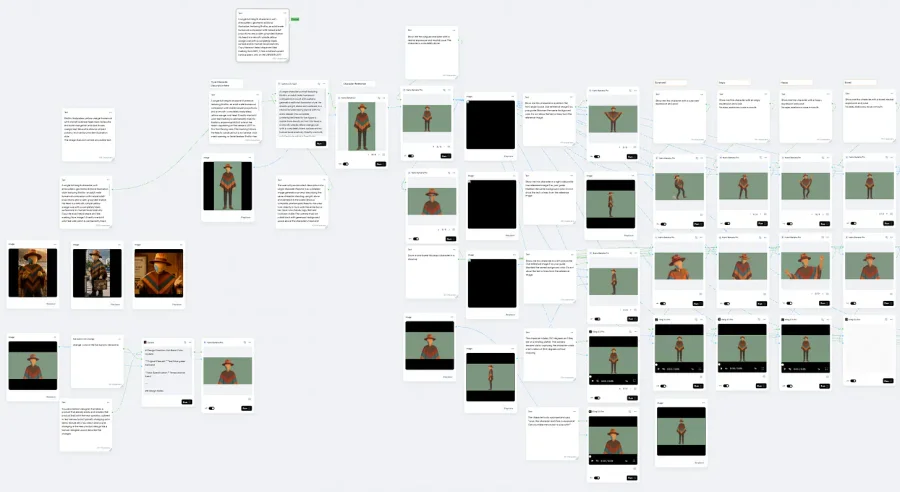
Runway sample workflow.
What I learned is that the shorter, more concise the prompt the better, be very mindful of repetitive or contradicting statements and being over descriptive. The goal is not the absolute fewest number of words, it’s the fewest in order to make the request unmistakable.
How prompts break
For example:
- Priority confusion: The model can’t tell which details matter most. I have found that it will often take the first one over any following ones in a long prompt.
- Concept blending: Words like mask, band, marking, patch may merge into a mask like band without any distinct characteristics.
- Overemphasis: Repeating a feature several time can make it larger or more conspicuous.
- Contradiction: “perfectly flat background” and “soft atmospheric background” are incompatible requests.
- Negative priming: Repeatedly mentioning eyes, masks, openings, visors, straps may make those concepts more likely to appear.
- Identity drift: too many instructions about style, pose, clothing, lighting and anatomy can weaken the reference image’s influence.
These seem self explanatory but it’s super easy to break these rules without even realizing. The best set up is a group of good reference images (like identity, style only, pose/composition, clothing, environment) and a compact prompt structure.
A reusable prompt template
REFERENCE ROLES
Image 1 is the authoritative BroBro identity reference.
Image 2 is the style-only reference.REQUEST
Show BroBro in [pose, action, or camera angle].PRESERVE
Preserve his blank yellow-orange head, single filled teal surface patch, hat crescent, poncho design, adult proportions, and clothing colors.STYLE
Use the smooth atmospheric geometric storybook rendering of Image 2.COMPOSITION
[Framing and background requirements.]AVOID
No facial anatomy, hollow marking, or wearable face accessory.
Even with this template, to get the desired outcome is a lot of trial and error. Take the following prompt as an example. Generated using a Runway workflow with Nano Banana2.
A single character portrait featuring BroBro, an adult male humanoid companion, in a soft atmospheric geometric editorial illustration style. He stands upright, alone and centered, in a neutral forward-facing stance with his arms relaxed. His complete, uninterrupted head-to-toe figure is visible from directly in front. His head is a smooth, simple yellow-orange oval with a completely blank surface and no human facial anatomy.
Exactly one bold, solid teal side patch is fixed to his anatomical lower right side of the face, appearing on the viewer’s left. It is a flat graphic marking integrated into the head surface. The rest of his head remains uninterrupted yellow-orange. He wears a wide brim terracotta and burnt-orange hat. He has a chevron striped mid-thigh poncho with broad, deliberately arranged dark brown, sierra, burnt-orange, and muted-teal bands. He wears straight dark trousers and practical brown ankle boots.
The camera is pulled back with generous background space above his head and below his feet. The background is a flat, chroma green color with no shadows.
The image does not contain any visible text.
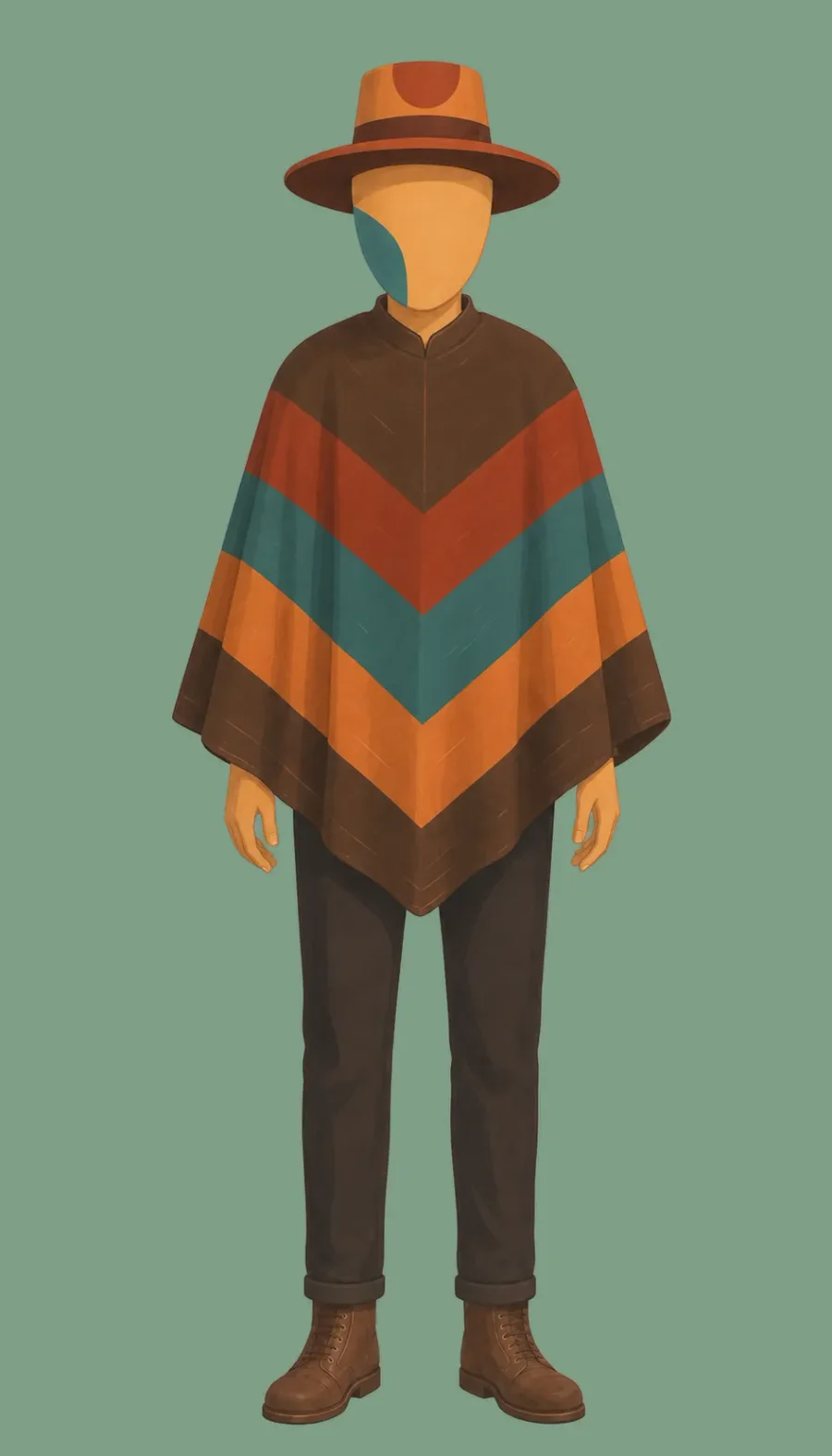
Good front reference. Now let’s use this to try and create additional reference images.
Prompt:
Zoom in and frame this exact character in a close-up
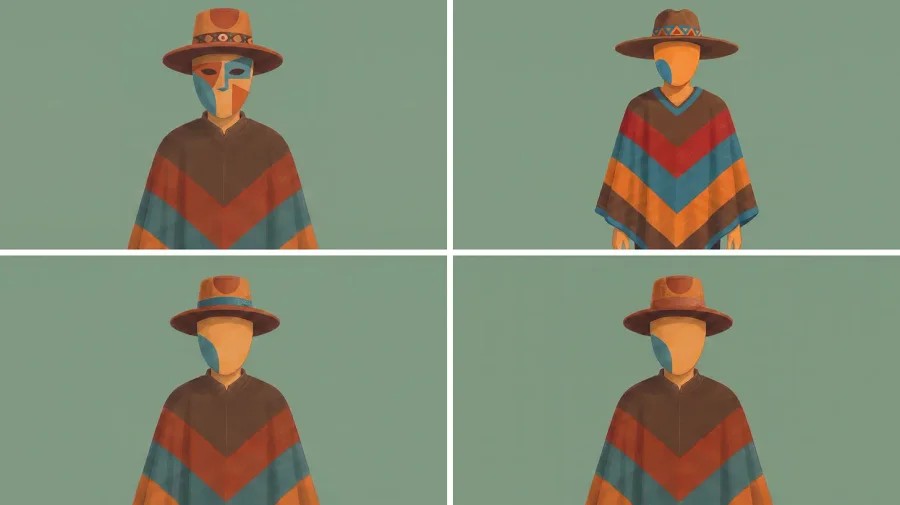
Took a few generations, using the same prompt, reference and model to get one that is pretty close to what we are looking for.
Let’s try another.
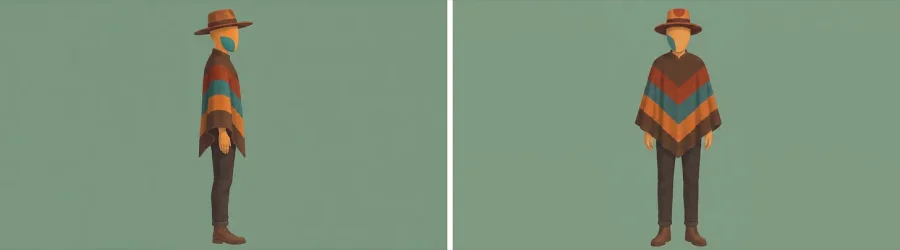
Reference images:
Prompt:
Show me this character in a left side profile. Use reference image 2 as your guide. Maintain the same background color. Do not show the text or lines from the reference image.
Output:
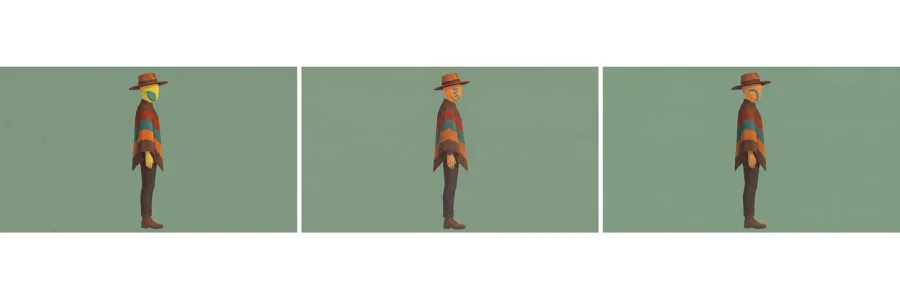
Oh man, not good.
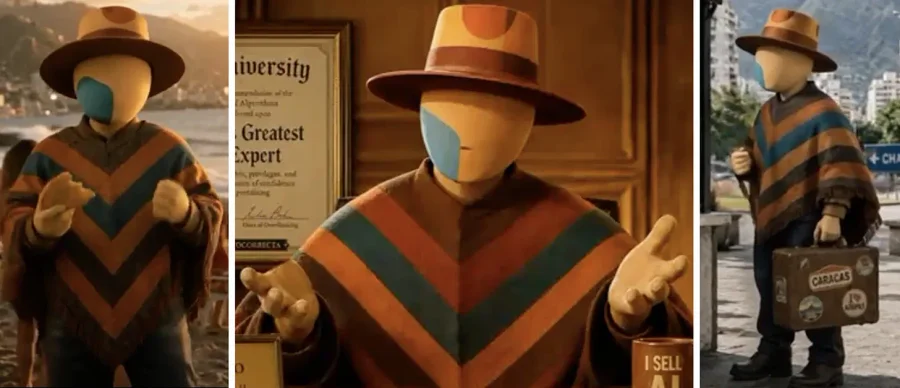
The creation of the cinematic character was not much better.
Prompt:
A single character portrait featuring BroBro, an adult male humanoid companion, standing upright, alone and centered in the scene. He has stable natural human adult male proportions. His head is a smooth, completely featureless yellow-orange oval. Exactly one bold, solid teal marking is permanently fixed to Brobro’s anatomical right side of the head in this front-facing view, following the head’s curvature from chin to mouth and over to ear. The marking is not an eye, visor, mask opening, or facial feature. Brobro has no eyes, mouth, nose, lips, teeth, eyebrows, ears, hair, beard, or human skin texture. He wears an established brown wide-brimmed felt hat with a lighter burnt-orange top and an oval darker terracotta color shape in the middle. He also wears a dark striped chevron mid-thigh length poncho, depicted with believable woven fabric, natural garment weight, subtle material texture, restrained studio lighting, and grounded dimensional form, while preserving his iconic non-human head. He is shown in a cinematic realism art style. The camera is pulled back with generous background space above the character’s head and below their feet. He is in a neutral forward-facing stance with his arms relaxed. The background is a flat, chroma green color with no shadows. The image does not contain any visible text.
Output:

But, after a lot of terrible generations that took forever to complete (and seem to be a lot more expensive through the UI than through their API although I have no evidence to back up that claim. I tried the platform out with their free plan, ran through the credits in hardly any time, updated to an unlimited model for $95 per month – too much but allowed for unlimited generations with specific models, until they switch their offering to a max plan that had a limited amount of credits. Some might argue that they have a lot of features that allow for super good asset creation and that may be true, not arguing that I didn’t want to waste my time trying to learn their interface.) Anyways, pulling myself away from another rant. I guess my bias is showing. …some really good final references were created.
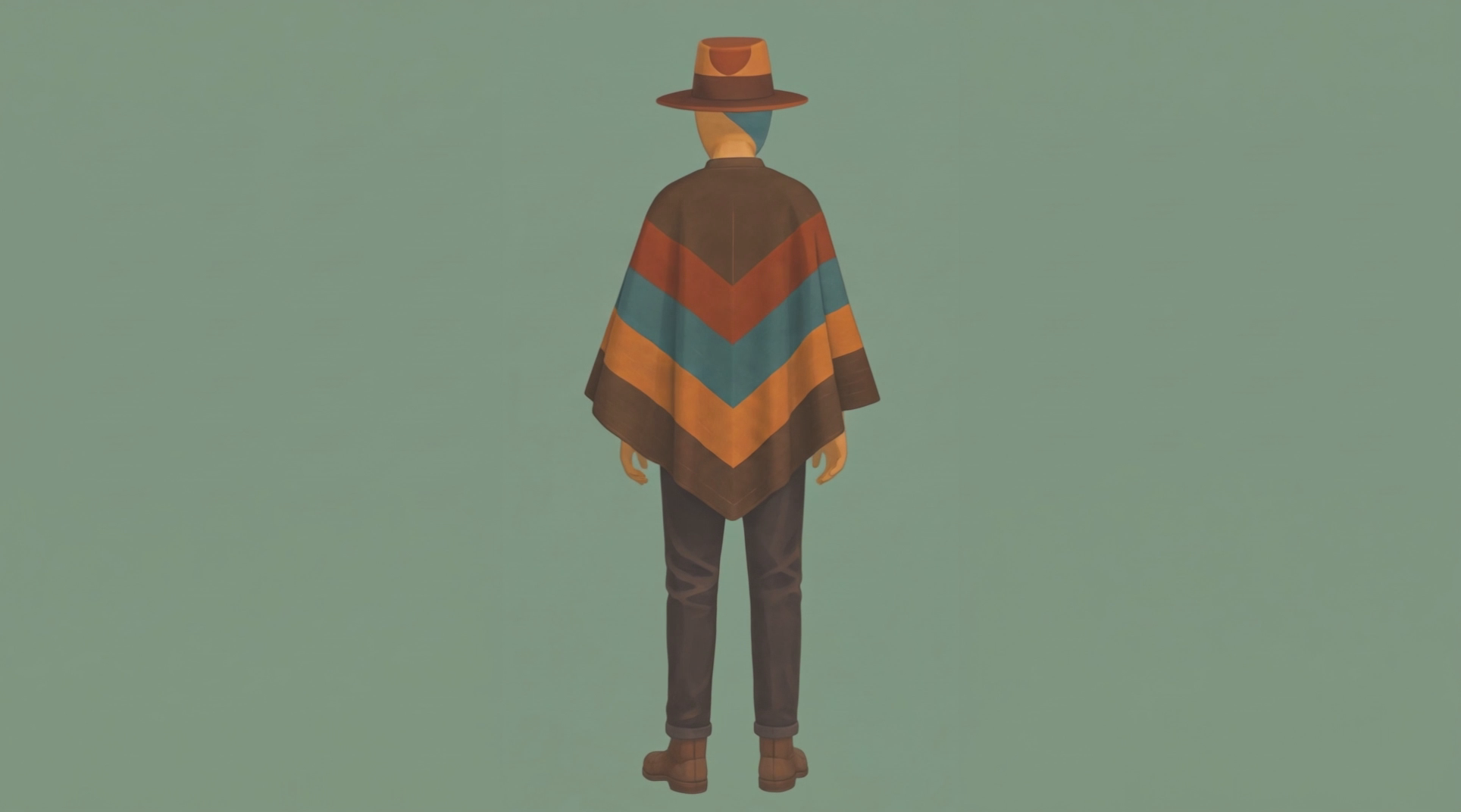
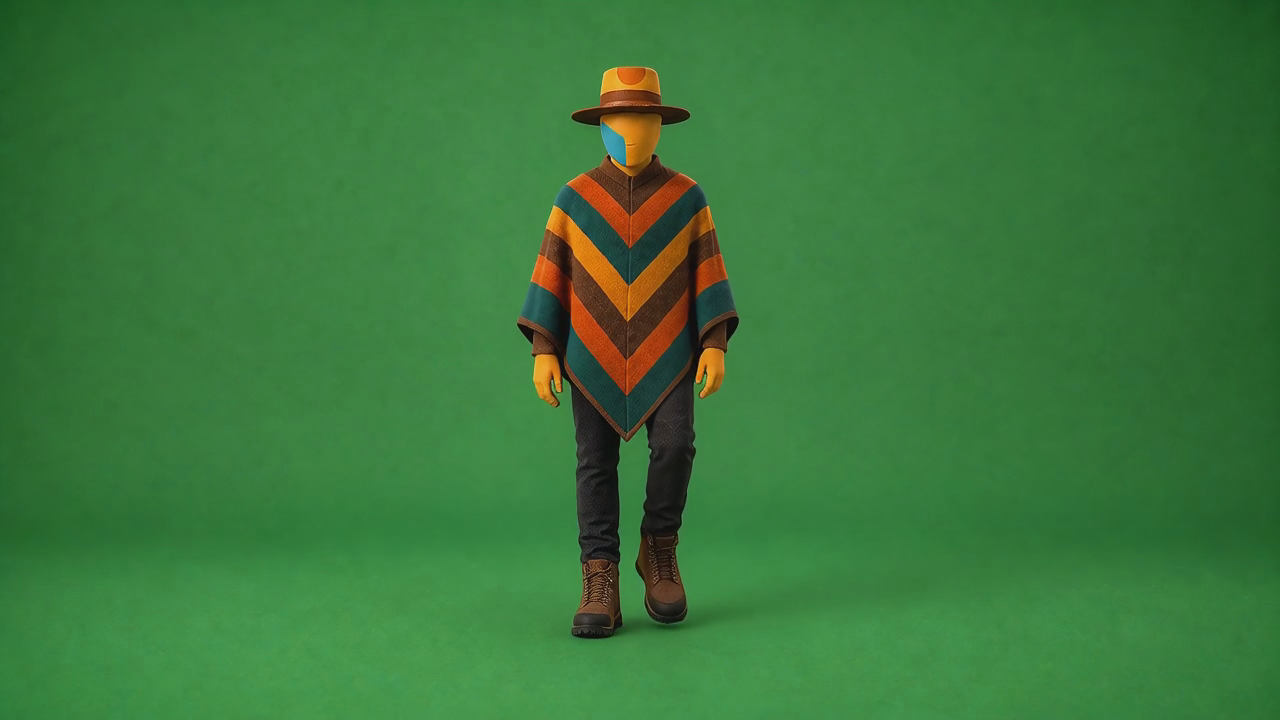
Stills from the final reference motion tests.
Next was using these references and prompts to create some documentations that we can use to create new assets that match the finalized references. If that works than we can give it to another team member to see if they can also create assets that are recognizable as belonging to the Brobro world.
It’s important to keep the specifications, model and platform agonistic but also use naming conventions that are machine readable. I did some research on best way to name these files and it became clear that LLMs, being trained on a lot of literature and other industry documentation, is to use the “widely accepted terms canon and bible when naming character documents that will be consumed by LLMs since they are naturally fluid and probabilistic—they don’t naturally “remember” things the way a database does. In a long conversation, a model suffers from character drift or context dilution”. In other words, there are 2 parts that are needed for repetitve character creation:
- A Character Bible gives the LLM a formalized, unchanging anchor to read at the start of every prompt to keep its personality stable. It’s the design truth and includes items like visual references, color palette, proportion guide, permanent markings, clothing & pattern specs.
- A Canonical dataset is the operational framework and acts as an unalterable anchor of truth, preventing the model from hallucinating or drift-correcting facts over time. It contains the character overview, positive identity block, negative constraints, approved example frames, known failure examples, version & approval status.
Putting it to work
Alright, let’s see if we can recreate Brobro with these specification documents. I’ll create a quick video clip of him saying “Let’s go” turning around and walking away. After verifying reference images and approving voice (I wasn’t really picky) I used Codex to connect to ComfyAPI and using Wan 2.7 I2V it generated this:
Prompt:
I would like to create a short video clip. Brobro transforming from the Ruana logo to his cinematic form and saying LET’S GO!! I think the best way to create this is with comfy. can you create a plan to create this?
I think it did a pretty good job. It incorporated the Ruana World aesthetic, kept the brobro character and the Ruana logo consistent. I also like how he turns and walks away. The voice and the wave could be better, but I’m not complaining.
Reproducing Brobro
Let’s get a team member to use the same documents and references to create something and see how that goes.
I created a repo, uploaded the assets and shared it. They asked their agent to create a video using comfy and the reference documentaion of the Brobro character using the corresponding repo. The music was created separately using Elevenlabs.
How do you think it did?
Erinn Mahoney
Lead Scrum Master & Founder
Passionate about agile transformation and building high-performing development teams. 10+ years experience in software development and agile coaching.
More Articles
View All